Puzzle for Kids with Animals, Template: A Creative Digital Blueprint
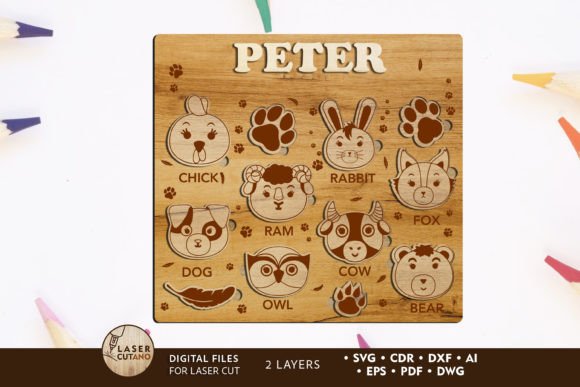
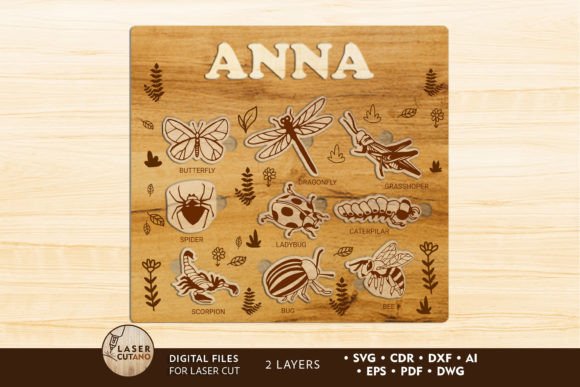
In a world where screen time often dominates childhood entertainment, finding ways to engage young minds with tactile, hands-on activities is more valuable than ever. The Puzzle for Kids with Animals, Template offers a unique solution for parents, educators, and makers who want to create something meaningful without starting from scratch. This isn't just a simple image file; it is a comprehensive digital multilayer layout specifically engineered for laser cutters, CNC routers, and other precision cutting machines. By transforming a digital download into a physical object, you bridge the gap between modern technology and timeless play.
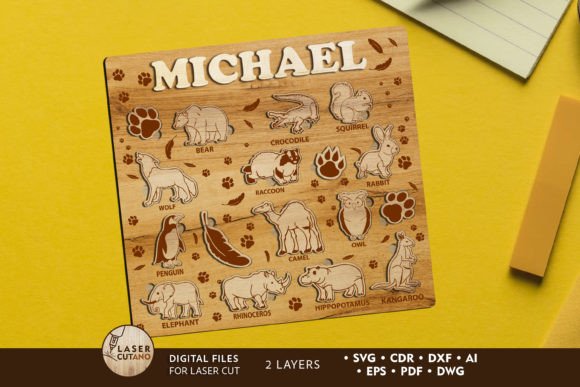
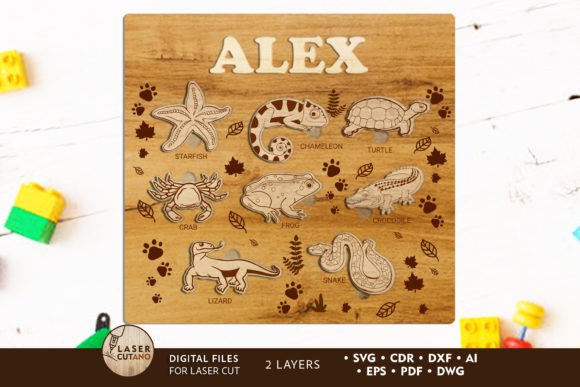
At its core, this template represents a shift in how we approach gifting and educational tools. Instead of purchasing a mass-produced toy that sits on a shelf, you are crafting a personalized experience. The design features a charming animal theme that naturally appeals to children, while the technical specifications ensure it can be manufactured with professional-grade equipment like Glowforge machines. Whether you are a small business owner looking to expand your product line or a parent wanting to make a memorable birthday gift, this file serves as the foundation for a project that blends entertainment with sentimentality.
From Digital File to Tangible Joy
Understanding what you are working with is the first step toward success. When you acquire the Puzzle for Kids with Animals, Template, you are receiving a versatile package designed for immediate compatibility with various software environments. Upon payment, you gain access to a .zip file containing formats such as .AI, .SVG, .DXF, .DWG, .CDR, .EPS, and .PDF. This variety ensures that regardless of your preferred design software—be it Adobe Illustrator, CorelDRAW, or specific machine drivers—you can import the file seamlessly.
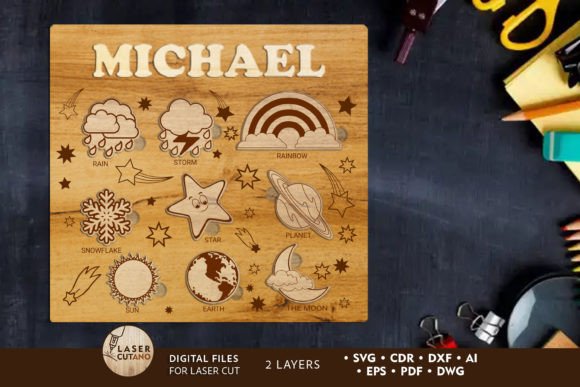
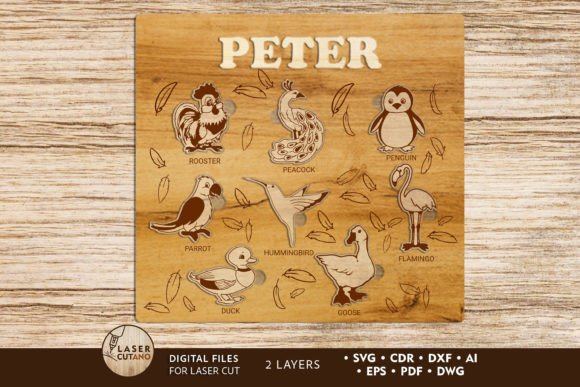
The finished product is designed as a two-layer multilayer layout, measuring approximately 11 x 12 inches when completed. This size is significant because it strikes a balance between being large enough to handle easily and detailed enough to hold a child's attention. The design includes engraving areas, which allow for adding names, dates, or motivational messages, turning a generic puzzle into a keepsake. Because the layers are intended to be glued together, the final result has depth and texture, offering a sensory experience that flat cardboard puzzles simply cannot match.
Ideal Materials and Thickness Considerations
One of the most critical aspects of using this template is selecting the right material. The design is optimized for plywood, MDF, acrylic, plexiglas, and even sturdy cardboard. For wood projects, the recommended thickness ranges from 3 to 6 mm (approximately 1/8 inch to 1/4 inch). This range is not arbitrary; it ensures that the interlocking pieces fit snugly without requiring excessive force to assemble, which is crucial when the end user is a child.
If you choose to work with acrylic or plexiglas, the same thickness guidelines generally apply, though you must adjust your machine settings for cutting versus engraving. The versatility of the file means you can experiment with different textures and finishes. Imagine a puzzle made from rich walnut plywood for a sophisticated look, or bright colored acrylic for a vibrant classroom tool. The key is to remember that while you can scale the design up to accommodate larger spaces, reducing the size requires caution. Thin elements in the original design may become too fragile if scaled down significantly, potentially breaking during the cutting process or assembly.
Real-World Applications Across Different Settings
The utility of the Puzzle for Kids with Animals, Template extends far beyond a single use case. Its adaptability makes it a powerful asset in various personal, educational, and commercial scenarios.
Educational Environments and Homeschooling
For teachers and homeschooling parents, this template is an excellent resource for creating custom learning aids. You can modify the engraving sections to include the names of animals in different languages, scientific classifications, or even math problems hidden within the puzzle pieces. The tactile nature of assembling a wooden or acrylic puzzle helps develop fine motor skills and spatial reasoning. Unlike digital apps, this physical interaction encourages focus and patience. A teacher might use these puzzles as rewards for completing assignments or as part of a biology unit on local wildlife, making the learning process interactive and memorable.
Small Business and Entrepreneurship
Entrepreneurs and hobbyists running Etsy shops or local craft businesses can leverage this template to create high-margin products. Personalized gifts are a booming market, and the ability to offer custom laser-cut puzzles sets a seller apart from competitors selling generic items. By utilizing the included engraving features, you can offer services like adding a child's name or a special date, such as a first birthday or graduation. The fact that the files are compatible with popular machines like Glowforge lowers the barrier to entry, allowing small creators to produce professional-quality goods without needing industrial-scale equipment. This opens doors for seasonal promotions, such as holiday-themed animal puzzles or back-to-school specials.
Family Celebrations and Special Occasions
On a personal level, this template transforms ordinary celebrations into extraordinary memories. Birthdays, anniversaries, and family gatherings often involve exchanging gifts, but few gifts carry the weight of one made by hand. Using the Puzzle for Kids with Animals, Template, a grandparent can create a lasting heirloom for a grandchild. The process of painting the pieces before gluing them adds another layer of involvement; families can paint the puzzle together as a bonding activity before assembling the final piece. This collaborative effort turns the gift-giving process into a shared experience, enhancing the emotional value of the item.
Practical Steps for Successful Execution
Before diving into your project, there are several practical considerations to ensure a smooth workflow. First, always unzip the downloaded folder before attempting to open the files. Many users encounter errors by trying to open files directly from the compressed archive, which can lead to missing paths or corrupted data. Once extracted, review the file in your design software to verify that the dimensions match your material stock.
Painting is another crucial step mentioned in the product details. It is highly recommended to paint each layer before gluing them together. Attempting to paint after assembly can be difficult due to the tight joints and varying depths of the engraved areas. Painting beforehand ensures full coverage and allows the colors to dry completely, preventing smudges during the gluing process. Use non-toxic paints, especially since the final product is intended for children.
When setting up your laser cutter or CNC router, perform a test cut on scrap material. This is essential to calibrate power and speed settings based on your specific material type and thickness. Even though the template is well-designed, variations in wood grain or acrylic density can affect cut quality. A successful test run saves time and prevents wasting expensive materials.
Scaling and Customization Tips
While the default size of 11 x 12 inches is ideal for most applications, you have the flexibility to increase the design size for larger displays or wall art. However, if you need to reduce the size, proceed with caution. The intricate details of the animal figures and the interlocking tabs rely on a certain minimum width to remain structurally sound. Reducing the design too much can result in tabs that snap off easily or gaps that prevent the layers from fitting correctly. Always inspect the scaled-down version closely before committing to a full cut.
Ultimately, the Puzzle for Kids with Animals, Template is more than just a set of vector lines; it is a tool for connection. It empowers creators to bring their ideas to life, provides educators with engaging resources, and gives families a way to celebrate milestones with something truly unique. By combining the precision of digital design with the warmth of handcrafted materials, you create an object that stands out in a crowded marketplace of disposable toys. Whether you are cutting your first piece of wood or running a full-scale production line, this template offers a reliable, high-quality foundation for projects that matter.